Haven

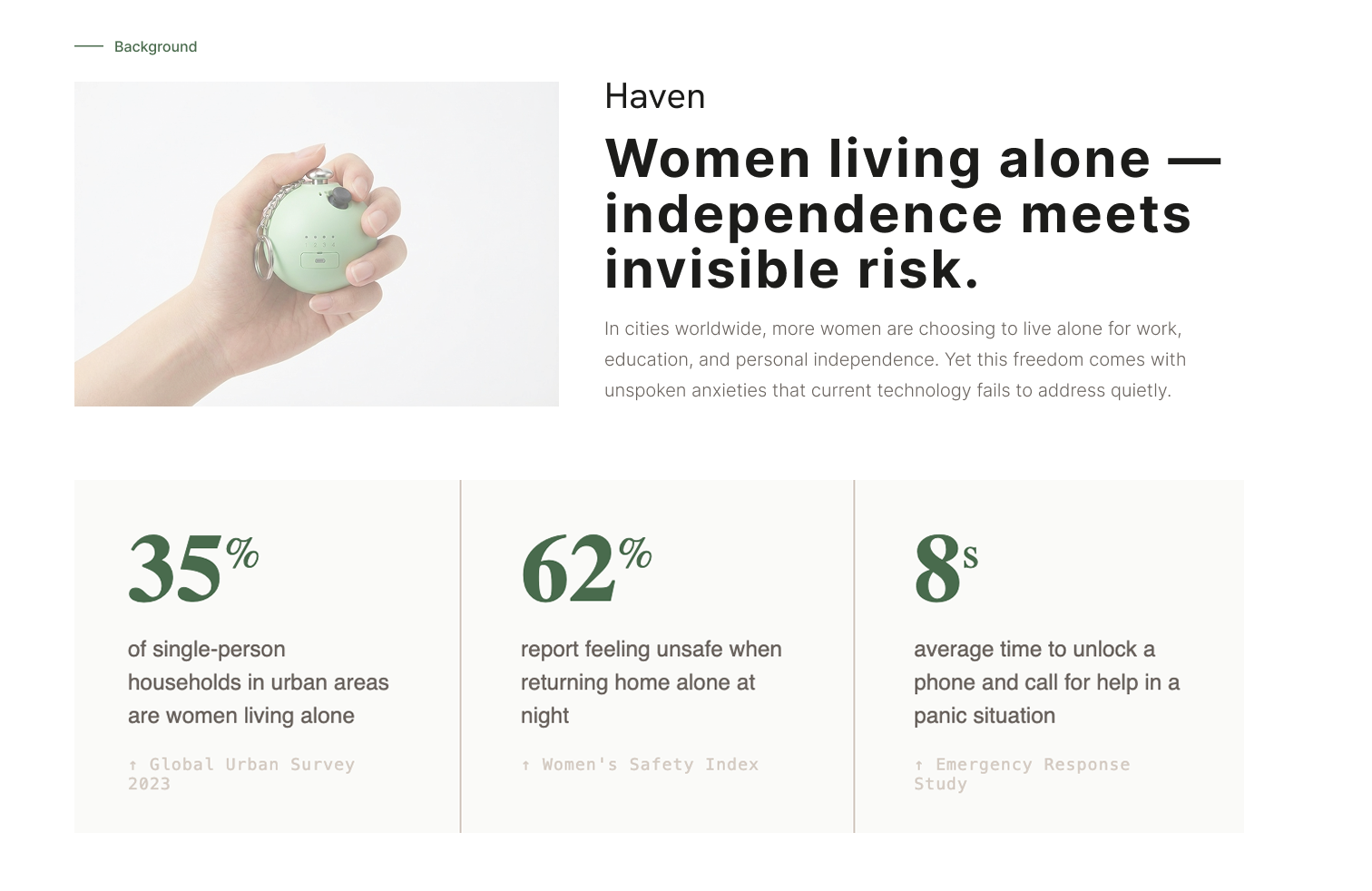
A safety bag charm that allows quick check in and emergency alerts for women living alone.

About Women Living Alone

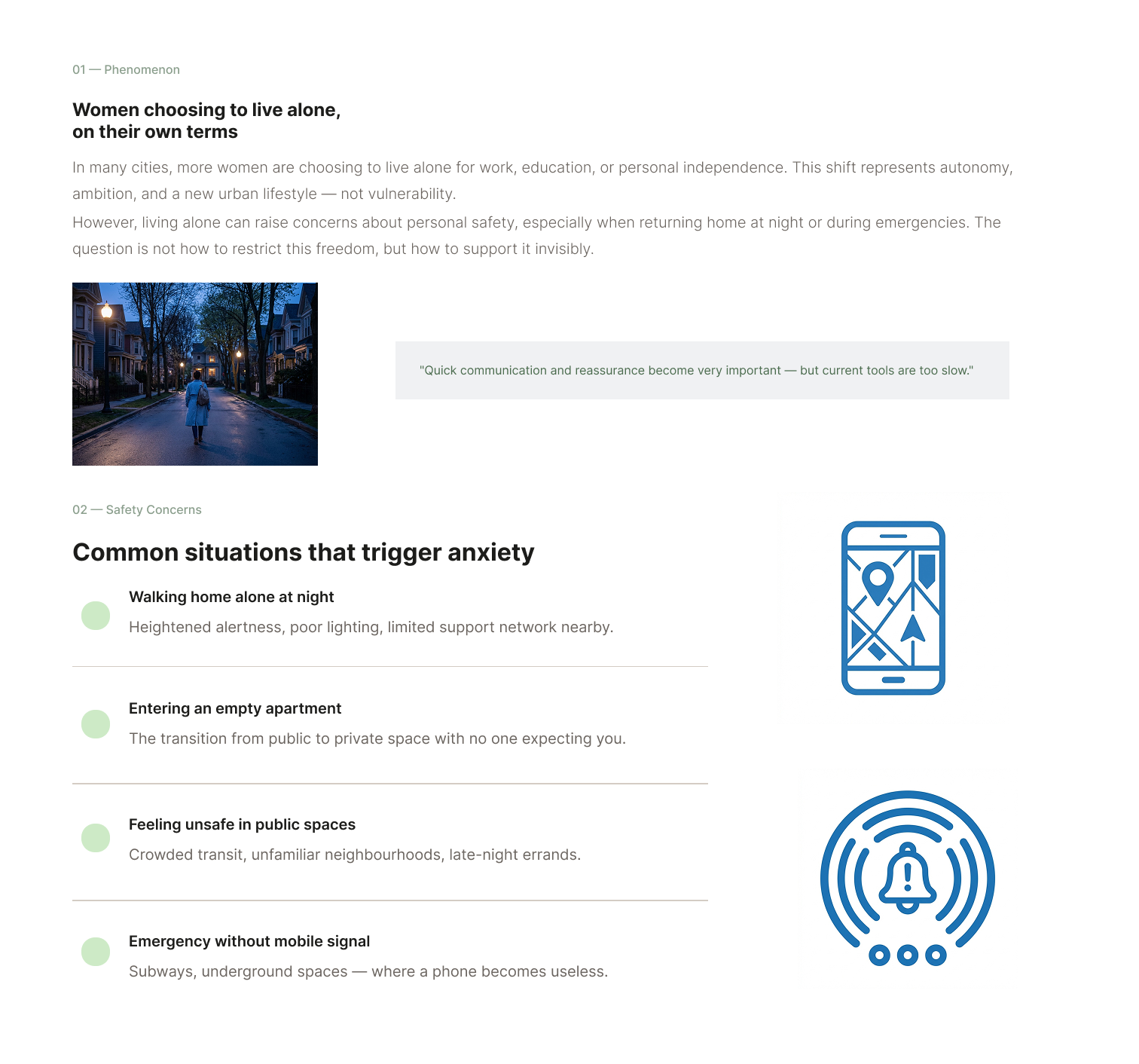
In many cities, more women are choosing to live alone for work, education, or personal independence.
However, living alone can also raise concerns about personal safety, especially when returning home at night or during emergencies.

Safety concerns

Women living alone may face situations where they feel unsafe or need help quickly.
Common situations include:

  • Walking home alone at night

  • Entering an empty apartment

  • Feeling unsafe in public spaces

In these situations, quick communication and reassurance become very important.

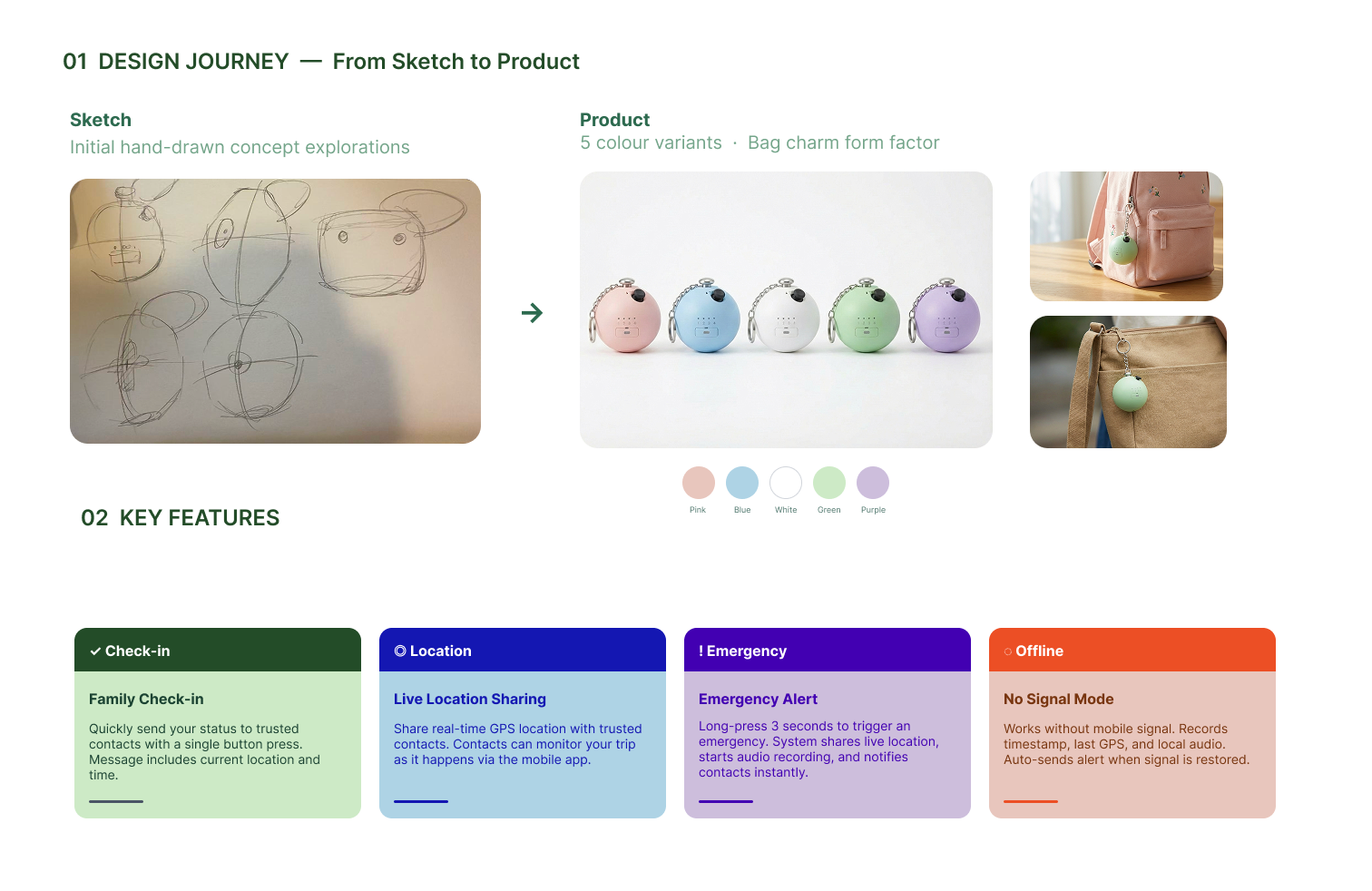
Sketches

A smart safety bag charm

This project proposes a smart safety bag charm designed to support women living alone.
The device attaches to a bag and allows users to quickly:
• check in with family


• share their location


• send an emergency alert

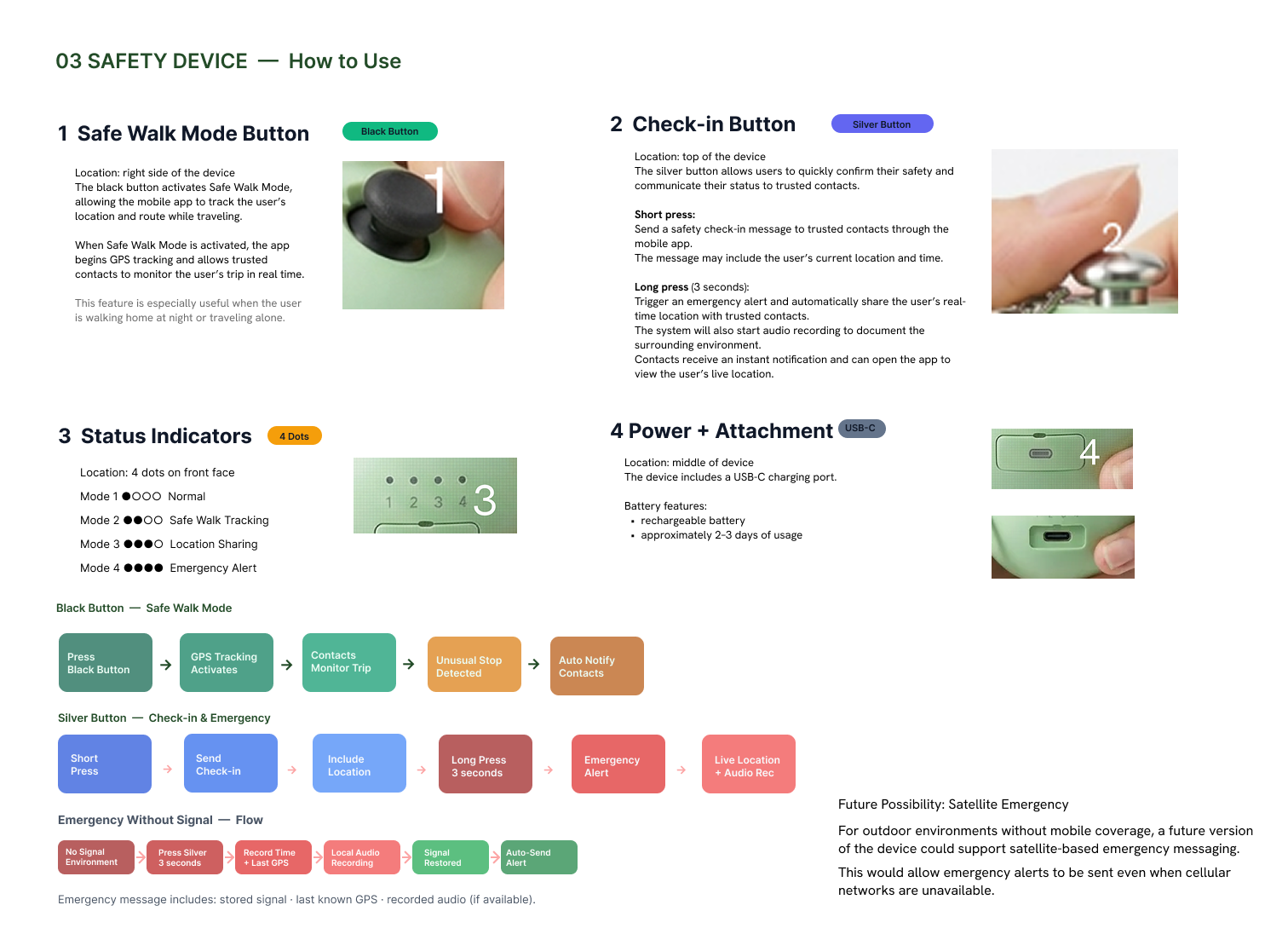
All interactions are triggered through simple physical buttons.

How to Use it

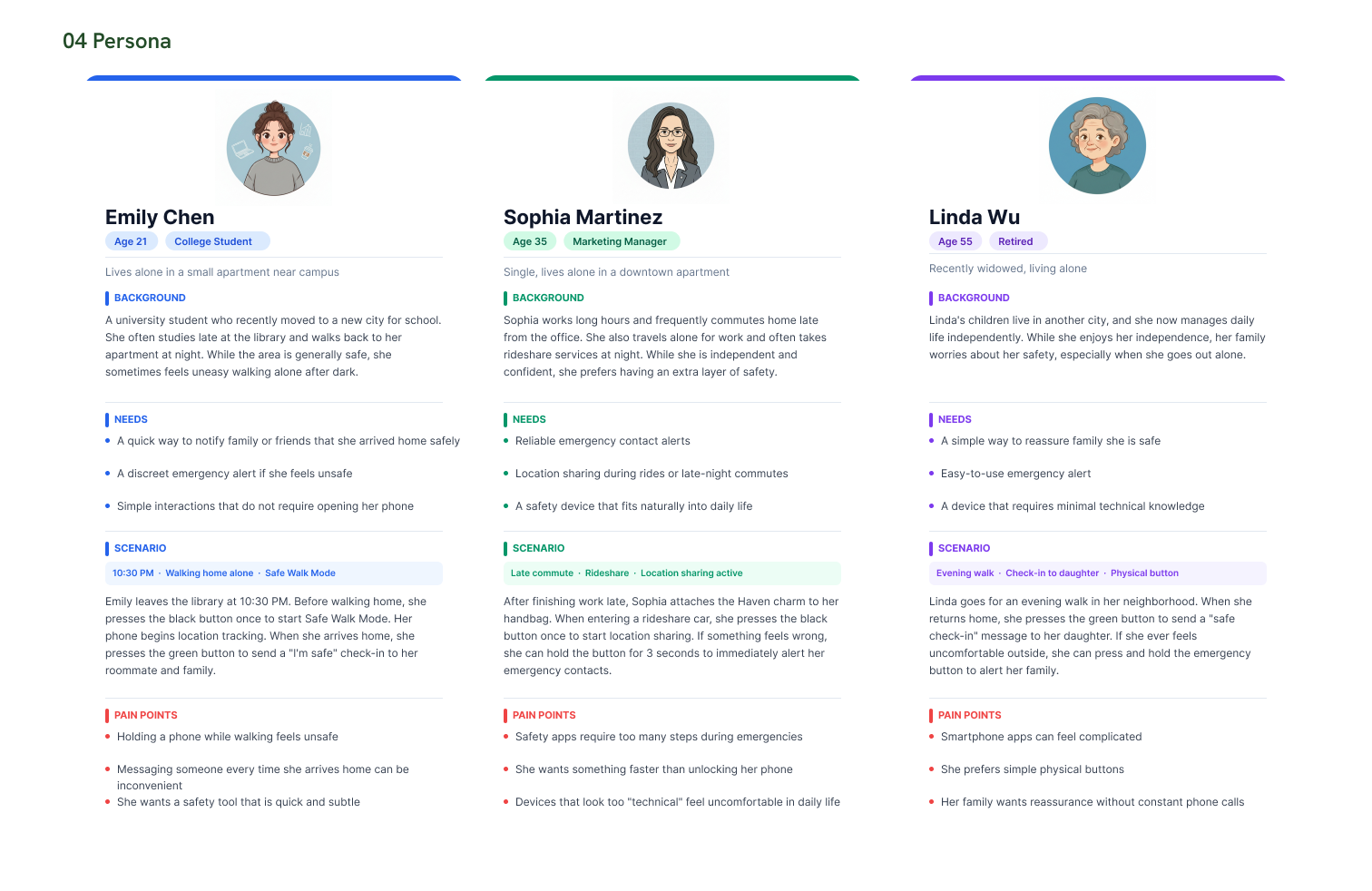
Persona

Emily Chen

Age: 21
Occupation: College Student

Living Situation : Lives alone in a small apartment near campus
Background :
Emily is a university student who recently moved to a new city for school. She often studies late at the library and walks back to her apartment at night. While the area is generally safe, she sometimes feels uneasy walking alone after dark.

Needs :

  • A quick way to notify family or friends that she arrived home safely

  • A discreet emergency alert if she feels unsafe

  • Simple: those that do not require opening her phone

Scenario
 : Emily leaves the library at 10:30 PM. Before walking home, she presses the black button once to start Safe Walk Mode. Her phone begins location tracking. When she arrives home, she presses the green button to send a “I’m safe” check-in to her roommate and family.
Pain Points

Pain Points:

  • Holding a phone while walking feels unsafe

  • Messaging someone every time she arrives home can be inconvenient

  • She wants a safety tool that is quick and subtle

Living Situation: Single, lives alone in a downtown apartment.

Background
: Sophia works long hours and frequently commutes home late from the office. She also travels alone for work and often takes rideshare services at night. While she is independent and confident, she prefers having an extra layer of safety.

Needs :

  • Reliable emergency contact alerts

  • Location sharing during rides or late-night commutes

  • A safety device that fits naturally into daily life


Sophia Martinez

Age: 35

Occupation: Marketing Manager

Scenario
: After finishing work late, Sophia attaches the Haven charm to her handbag. When entering a rideshare car, she presses the black button once to start location sharing. If something feels wrong, she can hold the button for 3 seconds to immediately alert her emergency contacts.

Pain Points

  • Safety apps require too many steps during emergencies

  • She wants something faster than unlocking her phone

  • Devices that look too “technical” feel uncomfortable in daily life

Scenario :
 Linda goes for an evening walk in her neighborhood. When she returns home, she presses the green button to send a “safe check-in” message to her daughter. If she ever feels uncomfortable outside, she can press and hold the emergency button to alert her family.

Pain Points :

  • Smartphone apps can feel complicated

  • She prefers simple physical buttons

  • Her family wants reassurance without constant phone calls

Living Situation: Recently widowed, living alone

Background:
 Linda’s children live in another city, and she now manages daily life independently. While she enjoys her independence, her family worries about her safety, especially when she goes out alone.

Needs :
A simple way to reassure the family that she is safe

  • Easy-to-use emergency alert

  • A device that requires minimal technical knowledge

Linda Wu

Age: 55
Occupation: Retired

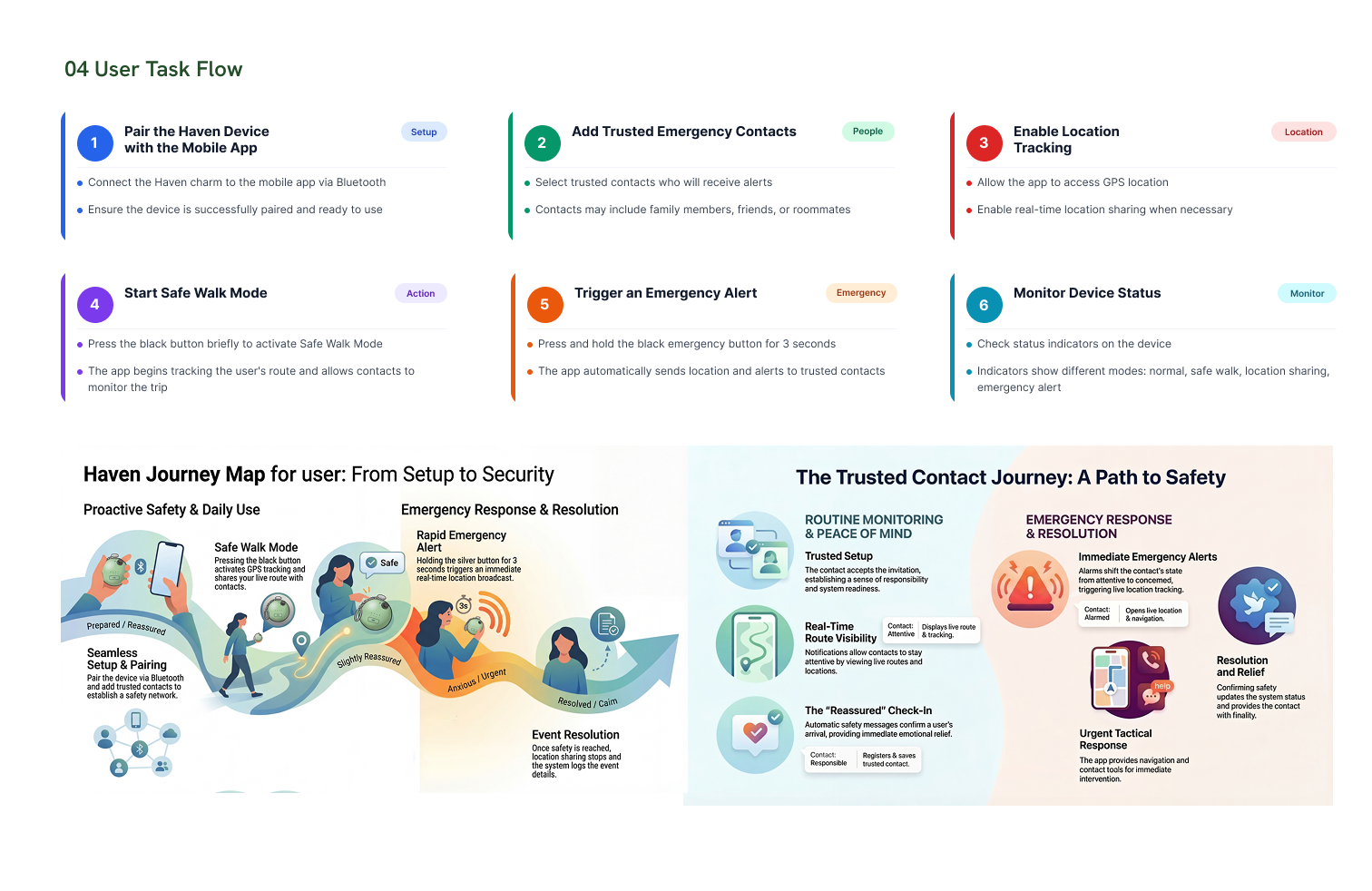
User Task List

Setup → Going Out → Safe Walk → Check-in → Emergency → Resolution

Setup → Monitoring → Check-in Notification → Emergency Alert → Response → Resolution

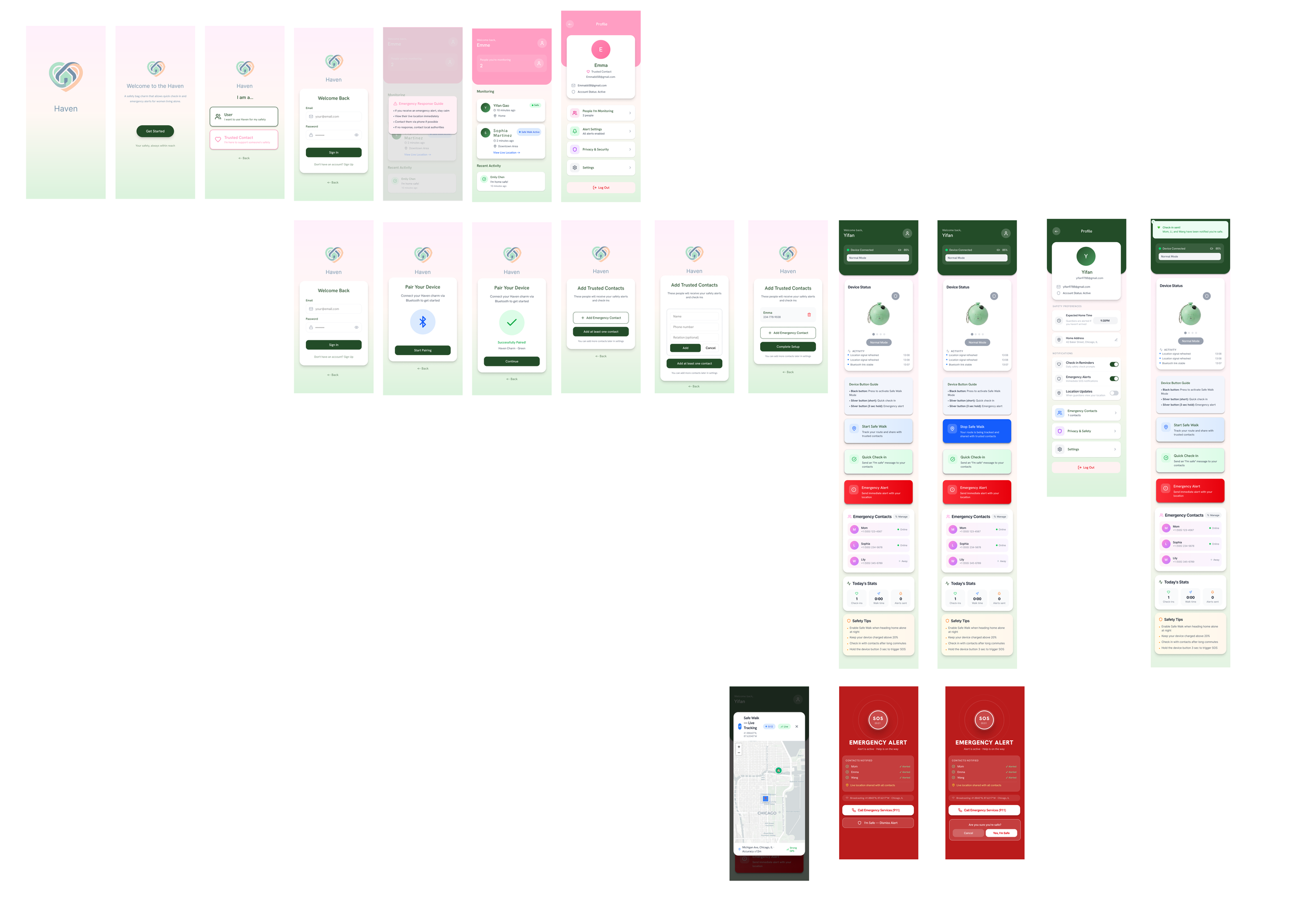
APP